# Switch
Switching branches in JadeGit, also known as “checking out”, changes your current branch. This operation is blocked when there are uncommitted changes. Switching branches triggers an [internal deployment](https://jadelab.gitbook.io/jadegit/developers/internal-deployment) to update schema entities to match the target branch.
## Checkout
Switch between local branches using the drop-down in the JadeGit Changes explorer, which shows the current branch.
When creating a new branch, selecting **Checkout (load & set)** will switch to it after creation.
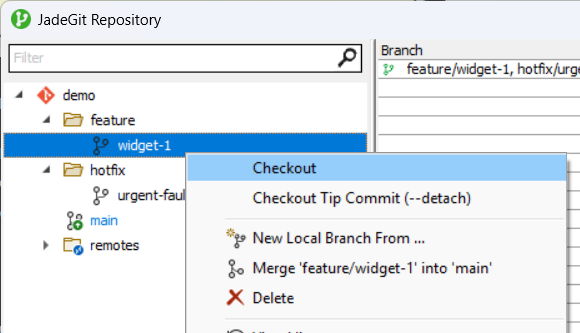
When managing branches, the current branch is highlighted in blue. You can switch to a branch by using **Checkout** in the branch context menu, or by double-clicking the branch. If a remote branch is selected, a corresponding local branch will automatically be created to switch to.
## Checkout (--detach)
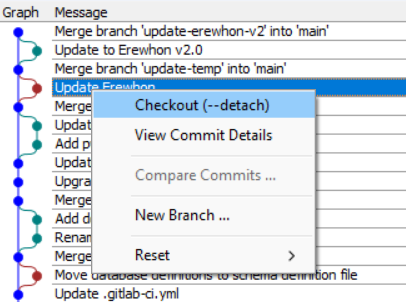
From the commit context menu in any history view, **Checkout (--detach)** switches to the selected commit in a [detached state](https://git-scm.com/docs/git-checkout#_detached_head).
When managing branches, **Checkout Tip Commit (--detach)** in the branch context menu switches to the tip of the selected branch in a detached state.